

Build a CMMC-Compliant CUI Environment in Minutes With Secureframe Defense
Emily Bonnie
Senior Content Marketing Manager
Small and mid-sized defense contractors pursuing CMMC Level 2 face a common challenge: they know CUI needs stronger protections, but translating requirements into a working, compliant system is where things get overwhelming.
Building a compliant enclave traditionally means 8-10 weeks of architecture planning, identity configuration, logging setup, endpoint hardening, and validation, all before documentation even begins. Decisions about where CUI lives, who can access it, how it's isolated from the rest of the business, and how those choices hold up during assessment all have to align. Even after the environment is built, teams still need to monitor it for drift, maintain evidence trails, and package everything for C3PAO review.
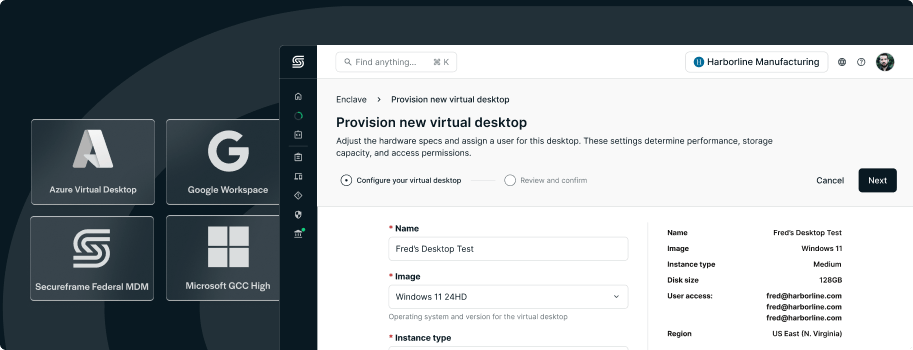
Automated Cloud Provisioning through Secureframe Defense offers a more direct path. It's a guided workflow that stands up a CMMC Level 2-aligned environment in minutes instead of months, with pre-configured controls designed around how defense contractors actually operate. Teams can deploy a secure environment that's already structured for CUI handling, continuous monitoring, and assessor review, without building from scratch.
Recommended reading

Introducing Secureframe Defense: A Complete, End-to-End Solution for CMMC Compliance
Isolate CUI to reduce your assessment scope
CMMC Level 2 requires that CUI be handled inside an environment that meets strict cybersecurity standards. The practical implication is that any system, device, identity store, or vendor that may touch CUI becomes part of the assessment boundary.
When CUI is scattered across laptops, shared drives, email inboxes, and general-purpose SaaS tools, scope expands quickly. A contractor using Microsoft 365 for both general business and CUI handling may suddenly need to bring their entire tenant into scope, including unrelated SharePoint sites and mailboxes. More systems mean more configurations to document, more controls to validate, and a higher risk of late-stage findings when configurations drift across so many moving parts.
A well-designed enclave solves this by creating a clear boundary where CUI is processed and stored. That containment makes scope easier to define, reduces the systems assessors need to evaluate, and simplifies evidence collection. When boundaries are clear and controls are applied consistently, assessors can validate faster because there's less variability to check.
Automated Cloud Provisioning creates a CUI enclave designed for assessment readiness
Automated Cloud Provisioning guides organizations through deploying a secure, isolated environment purpose-built for managing and storing CUI in alignment with CMMC Level 2 expectations. Teams can complete CUI-related tasks inside the enclave while continuing to use the Secureframe Comply platform for non-CUI activities such as governance, training, documentation, and collaboration.
Instead of assembling the environment manually, admins follow a guided setup flow that provisions the core components and applies cybersecurity guardrails by default. This includes setting up compliant collaboration and identity services through Secureframe as an authorized Microsoft GCC High reseller.
The resulting enclave is built to support the controls that typically drive infrastructure complexity and assessment scrutiny: MFA enforcement for all enclave access, isolated workspace for CUI handling, compliant email access inside the enclave, audit trails for enclave activity, file and storage isolation within the enclave, and role-based permissions to control who can access, upload, or review content.

Two deployment options based on how teams work with CUI
Automated Cloud Provisioning supports two approaches depending on whether teams need virtual workspaces or physical devices for CUI handling.
Option 1: Virtual Desktops keep CUI isolated and dramatically reduce assessment scope
Virtual Desktops give users a secure virtual workspace for CUI-related tasks inside an isolated environment. For organizations that want to keep CUI off local devices entirely, this approach prevents scope from expanding across laptops, personal endpoints, and the broader corporate network.
Virtual Desktops are provisioned within Azure Government and can be paired with Microsoft 365 GCC High environments configured directly through Secureframe. Provisioning that would normally take months of vendor coordination and IT planning happens in minutes.

Virtual Desktops are always deployed into a dedicated Azure Government subscription that the customer owns. This dedicated subscription creates a clean compliance boundary between enclave resources and other cloud workloads, making costs easier to track, simplifying scoping decisions during assessment, and reducing the risk that unrelated infrastructure changes could affect the enclave.
This model helps teams avoid the extended IT projects that typically come with enclave builds. There's no need to manually segment networks, harden individual endpoints for every CUI user, or manage device-level configurations across a fleet. Users access a compliant workspace when they need to handle CUI. Everyone else can use their normal devices and tools without bringing them into scope.
When CUI processing is confined to a dedicated virtual environment, evidence is easier to collect and validate. Assessors can focus on a smaller, more controlled set of systems rather than evaluating configurations across dozens of endpoints and services.
Option 2: Federal MDM for physical devices that handle CUI
Many defense contractors have workflows that require physical devices: engineers running CAD software on workstations, technicians accessing CUI in manufacturing facilities, or teams working offline in secure locations.
Secureframe Federal MDM is designed for these scenarios. It's a pre-configured, FedRAMP Moderate authorized device management solution that enforces NIST 800-171 security baselines on any device that handles CUI. Federal MDM integrates with Secureframe-managed federal environments, including Microsoft GCC High, to keep devices, identities, and collaboration tools aligned with CMMC expectations.

The solution applies required configurations when devices are enrolled, then continuously monitors and enforces those configurations over time. Device posture isn't static. Settings drift, users install software, patches fall behind, and security controls can degrade without obvious warning. Continuous enforcement catches these changes and corrects them automatically, reducing the likelihood that devices become noncompliant between assessments.
Federal MDM strengthens audit readiness by maintaining current, time-stamped evidence that device safeguards were enforced throughout the observation period, rather than relying on one-time screenshots or manual checklists taken weeks before assessment. That reduces last-minute preparation work and gives assessors a clear view of how controls operated over time.
Infrastructure that ties directly into documentation, evidence, and assessment preparation
Secureframe Defense connects infrastructure to the rest of the compliance lifecycle, so teams don't have to rebuild the same information multiple times across different tools.
As the enclave is deployed, Secureframe Defense tracks scoping decisions, control implementations, and configuration details that flow directly into your System Security Plan and Plan of Action & Milestones. When assessors ask for evidence of MFA enforcement or audit logging, the system has already been collecting timestamped proof throughout the observation period.
This integration means documentation stays current as the environment evolves, remediation progress updates your POA&M automatically, and evidence collection happens continuously without manual exports.
Get started with Automated Cloud Provisioning
You don't need to choose between a months-long enclave build and pulling your entire IT stack into scope. Secureframe Defense provides a guided way to deploy a secure CUI environment through Automated Cloud Provisioning, with Virtual Desktops and Federal MDM as options based on how your team handles CUI.
Learn more about Secureframe Defense, or request a demo to see how Automated Cloud Provisioning, Virtual Desktops, and Federal MDM work together to simplify CMMC readiness.
Streamline CMMC end to end


Emily Bonnie
Senior Content Marketing Manager
Emily Bonnie is a seasoned digital marketing strategist with over ten years of experience creating content that attracts, engages, and converts for leading SaaS companies. At Secureframe, she helps demystify complex governance, risk, and compliance (GRC) topics, turning technical frameworks and regulations into accessible, actionable guidance. Her work aims to empower organizations of all sizes to strengthen their security posture, streamline compliance, and build lasting trust with customers.