
CMMC Pause: What DoW & Primes Still Require

CMMC Phase 2 on Hold: What the DoW and Primes Still Require

Read the update
sf-logo
  • Customers
  • Pricing
Sign inRequest a demo

Secureframe Defense for CMMC

Automated Cloud ProvisioningVirtual DesktopsSecureframe Federal MDM

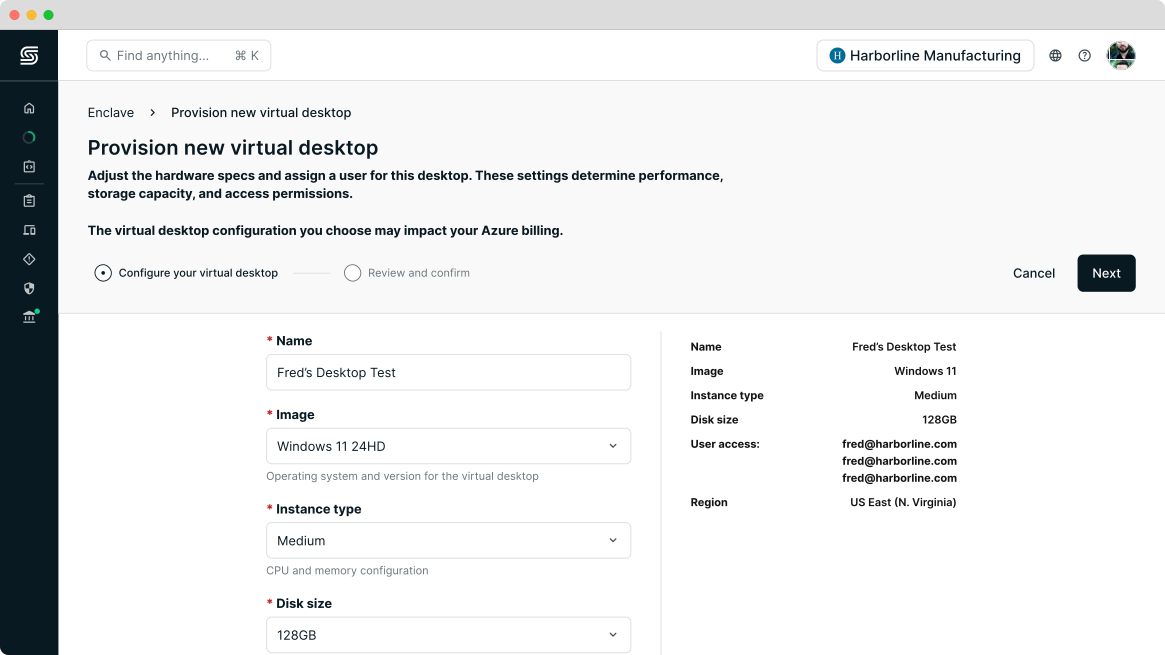
Secureframe Virtual Desktops

Instantly access CUI using secure virtual desktops.

Secureframe Virtual Desktops are CMMC-compliant virtual machines that teams can use to securely access CUI. Provisioned in Azure Government in minutes, Virtual Desktops eliminate the operational complexity of meeting and maintaining CMMC Level 2 technical requirements on physical hardware.
Start your CMMC journey
virtual-desktops
sf-logo-2
linked-in
x-dark
youtube
  • US / English
  • Germany / Deutsch
  • Spain / Español
  • France / Française
Products
  • Secureframe Comply
  • Secureframe Defense for CMMC
  • Secureframe Trust
  • Why Secureframe?
  • Product Updates
  • Pricing
  • Secureframe Marketplace
Solutions
  • Small Business
  • Enterprise
  • Defense contractors
Frameworks
  • CMMC 2.0
  • SOC 2
  • ISO 27001
  • HIPAA
  • PCI DSS
  • CCPA
  • GDPR
  • View All
Frameworks
  • CMMC 2.0
  • SOC 2
  • ISO 27001
  • HIPAA
  • PCI DSS
  • CCPA
  • GDPR
  • View All
Partners
  • Trusted Partners
  • Auditors
  • Service Providers
  • Become a Partner
  • Explore Partners
Company
  • About
  • CareersWe’re hiring
  • Newsroom
  • Customers
  • Trust Center
Company
  • About
  • CareersWe’re hiring
  • Newsroom
  • Customers
  • Trust Center
Resources
  • Blog
  • Compliance Hubs
  • Compliance Resources
  • Guides
  • Glossary
  • Knowledge Base Extension
  • API Reference
  • GCC High Licensing
  • Microsoft License Quote
Support
  • Help
  • Contact us
  • Schedule a demo
  • Status99.99%
  • Support Metrics
  • Your privacy choicesprivacy-choices
aicpa-soc
iso-27001
ccpa
gdpr
© 2026 Secureframe. All Rights Reserved.
Terms of Service
Privacy Policy
Website Terms

How Secureframe Virtual Desktops works

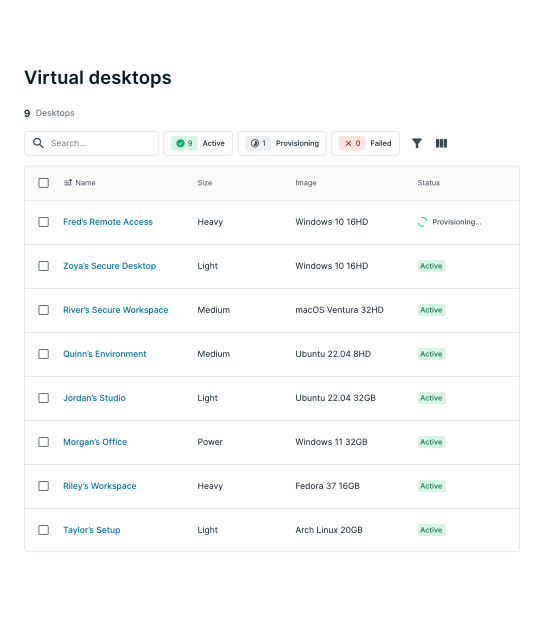
Secureframe Virtual Desktops create secure, isolated Windows environments where users can securely access CUI. By using a Secureframe virtual desktop, local endpoints and corporate networks are removed from CMMC assessment scope.
Get started with Virtual Desktops

Reduce your CMMC assessment
scope and costs in minutes

THE CHALLENGE

Limiting CUI flow and scope creep

Any device, system, or vendor that may handle CUI falls within CMMC assessment scope. This forces organizations to either stand up their own government virtual desktop environment or apply CMMC controls to their current laptops and workstations. Both options are highly complex, expensive, and time-intensive.

THE GAP

Cannot use current devices to access CUI

Understanding the required CMMC controls to enforce on CUI-handling devices requires subject matter expertise. Using a consultant to implement controls across your current fleet of laptops and workstations could cost months, thousands of dollars, and leave you responsible for keeping them compliant.

THE SOLUTION

CMMC-compliant workspaces

With Secureframe Virtual Desktops, users can spin up secure, isolated workspaces in Azure Government in minutes. These ready-to-use, compliant workspaces allow employees and subcontractors to handle CUI securely without needing to manage physical hardware, rebuild their IT environment, or depend on consultants.

Secureframe Virtual Desktops is for

bar-chart

DIB organizations without the in-house resources to build and manage compliant virtual desktop infrastructure (VDI)

conversion

Teams that need an out-of-the-box solution to meet CMMC Level 2 requirements without disrupting their workflows

admin_panel_settings

Primes, subcontractors, and MSPs that want to keep CUI activities clearly separated from non-CUI operations

Benefits of Secureframe Virtual Desktops

bar-chart

Scope reduction

By isolating CUI access to virtual desktops, you remove local endpoints and local networks from your CMMC assessment scope.

conversion

Instant provisioning

Spin up secure, compliant virtual desktops for company employees or subcontractors in minutes.

admin_panel_settings

Seamless user experience

Users get a familiar Windows 11 desktop experience that’s accessible from any browser or device, so there’s no learning curve for virtual desktops.

monitoring

Automated enforcement

The necessary logging, antivirus, and session timeout policies required by NIST 800-171 are automatically enforced on every virtual desktop.

Marc R

Using virtual desktops allows you to access CUI from an isolated workspace, removing your underlying laptops and workstations from CMMC scope. I recommend to all of our customers to reduce CMMC scope where possible, and using virtual desktops is one of the most effective and cost efficient ways of doing so.

Marc RubbinaccioHead of Cybersecurity & Compliance, Secureframe

What’s next?

Secureframe Virtual Desktops is a core capability within Secureframe Defense, where DIB organizations can manage the infrastructure, controls, and evidence they need to achieve and maintain CMMC readiness in one system.

Request a demoExplore the full solution